
Start with screenshots, use Apple Photos for exact duplicates, then clean one year or album at a time. Compare similar shots instead of deleting them automatically. Review every delete batch, and remember that normal deletions stay in Recently Deleted for up to 30 days.
1. Confirm what is actually using space
Open Settings → General → iPhone Storage. This shows how much space Photos uses compared with apps, downloads and messages. If Photos is not one of the largest categories, cleaning it may improve organization without solving the storage problem you are trying to fix.
If Photos is a major category, decide whether your goal is immediate storage, a calmer camera roll or both. That choice changes the final step: organizing alone does not reclaim space, and deleted photos normally remain recoverable for 30 days.
2. Choose one batch with an obvious finish line
A library with 20,000 photos is emotionally difficult because every image asks a different question. A focused batch removes that context switching. Good first sessions are:
- Screenshots: mostly temporary, but check for tickets, receipts and reference images.
- Exact duplicates: Apple Photos can identify and merge these for you.
- One old year: a clear boundary that you can return to later.
- One album: travel, work, downloads or another category you already understand.
Set a small target such as 10 minutes or 100 decisions. Finishing a batch is more valuable than scrolling through the entire library and stopping without applying anything.
3. Remove exact duplicates with Apple Photos
In Photos, open Collections, scroll to Utilities and open Duplicates. Apple can merge duplicate photos and videos while preserving the highest-quality version and relevant metadata. This is the right first tool for true copies.
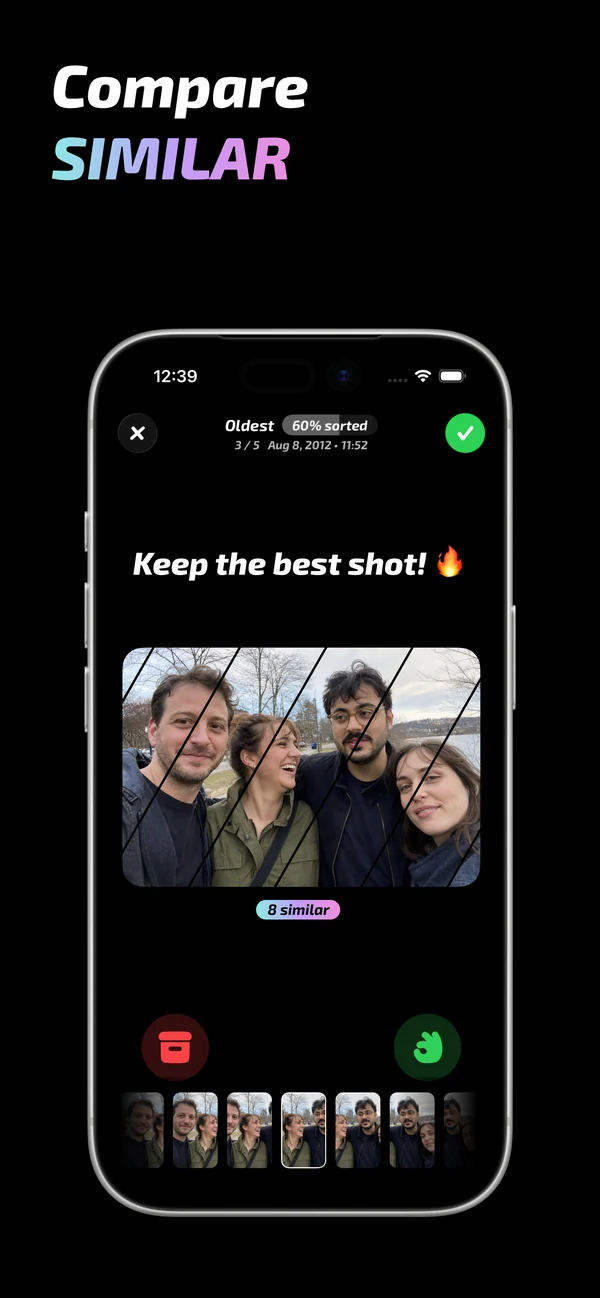
Exact duplicates are different from similar shots. Five portraits from the same second may all be unique files even when four are unnecessary. Those require a visual decision about expression, focus and composition.
Read Apple's duplicate-photo instructions

4. Use swipe decisions for the photos only you can judge
For screenshots, old years and near-duplicates, use a simple decision vocabulary: keep, archive or delete. Mochi presents one photo at a time so the question stays small. Swipe through a chosen year or album, compare similar groups, and send uncertain images to archive instead of forcing a risky delete.
The important part is the final review. Before applying the batch, inspect everything marked for deletion. This catches accidental swipes and gives you a calmer way to move quickly without trusting an automatic cleaner with personal memories.
5. Empty Recently Deleted only when you are certain
Normal photo deletions move items to Recently Deleted for up to 30 days. That recovery window is useful, but the photos can continue using storage during it. If you need space immediately, open Photos → Collections → Utilities → Recently Deleted, unlock the collection, review it once more and permanently delete the items.
Read Apple's deletion and recovery guidance
Keep the camera roll clean after the first pass
A five-minute weekly session is easier than another annual rescue. Review recent screenshots, clear failed photos after an event and process one small older batch when you have time. The goal is not a perfect library. It is a library where useful photos are easier to find and storage does not become an emergency.
Common questions
Can I clean up iPhone photos without deleting them?
Yes. Organize important photos into albums, hide items you do not want in the main library, or use Mochi's archive decision for uncertain images. Storage is only reclaimed when files are deleted or optimized through iCloud Photos.
Should I use automatic photo deletion?
Automation is useful for identifying exact duplicates, but personal quality choices are subjective. For near-duplicates, screenshots and memories, use automation to narrow the set and keep the final decision visible.
How long should the first cleanup take?
Stop after a finished batch, not after an arbitrary marathon. Ten to thirty minutes is enough for a useful first session if the scope is one category or year.